

lib/. Tauri wraps the same frontend as a desktop app, and Docker ships it as a self-hosted service. The server side has two implementations while the Node server is the rollback: lib/ behind the Next.js API routes, and core/, a Rust port that answers the same API byte for byte. The Docker image runs core/ (pt-core serve), and so does the desktop app from its first release on the Rust backend.
This page is the “where do I look?” layer. The dense, byte-level engineering reference is in
AGENTS.md and CLAUDE.md at the repo root — coding agents read those directly.Three distribution surfaces, one bundle
The same Next.js build drives all three. The Docker image serves it with the Rust server,pt-core serve; earlier images, v0.1.2’s included, run Next.js’s standalone bundle under Node instead. Homebrew installs the same .app bundle as the desktop release. The desktop app runs the standalone bundle as a sidecar Node process on releases before the Rust backend, and from the first release on it serves the same built frontend from the same Rust server, compiled into the app: see Tauri & the backend.
Shape of the codebase
Casks/privacytracker.rb, regenerated by the release workflow on every tag.
Core data flow
One scrape, one pass through the seven-step loop: The two patterns to internalise:- Capture
previousSnapshotbeforesaveToDb.saveToDbwipes and re-insertsprivacy_typesfor the app inside a transaction, so capturing after gives you an empty baseline and the diff loses every row. - Apple’s payload may unwrap two ways. Always use
Array.isArray(raw) ? raw : raw.data— Apple ships{ data: [...], userTokenHash }sometimes and a bare array other times.
resync=true — that’s what produces change notifications.
The policy step writes a privacy_snapshots row to the History timeline on every fetch, through appendPolicyChangeEntry in lib/changelog.ts. Only a changed event can carry changes_detected = 1 (the column behind the grid’s pending dot, the review panel, triage, the universal changelog and the stats) and raise a notification, and only while flag.notifications.types.policy_updates is on. It’s off by default. first, same and error events are timeline-only, and an unusable body never replaces the stored hash or text.
That notification goes through createNotification in lib/notifications.ts, which inserts the row and then calls fireWebhookIfConfigured for the immediate webhook. App Store changes (privacy labels, accessibility labels, age rating) take a different path to the same call: commitScrapedAppToDb in lib/scraper.ts writes their bell row in the same commit as the snapshot and calls fireWebhookIfConfigured once that commit has landed. Both posts are fire-and-forget, and quiet hours defer only the bell row (not_before), never the post. The daily and weekly summaries read the 50 most recent notifications rows raised since the previous summary (maybePostSummaryWebhook in lib/notification-webhooks.ts).
The shelf fallback chain
If labels suddenly stop appearing, the first suspect is this chain insaveToDb — Apple has shipped breaking shape changes several times. The fourth fallback (extractFromShoebox) is what lets the Wayback importer reach back to Q1 2021 captures, where the modern serialized-server-data script tag didn’t exist yet but the same privacy data lived inside a FastBoot shoebox at d[0].attributes.privacy.privacyTypes.
Three runners that all crash-safely resume
Three bulk operations share one pattern: live App Store sync, Wayback historical import, and policy sync.
Each runner persists its queue + per-app state at every app boundary, so a process kill loses at most one app’s worth of work.
GET /api/tasks/active returns a unified { wayback, sync, policy } snapshot. Manual runs are filtered out client-side because their starter UI already owns the progress card; resume cards are keyed by runId so a new resume cycle replaces the old card cleanly.
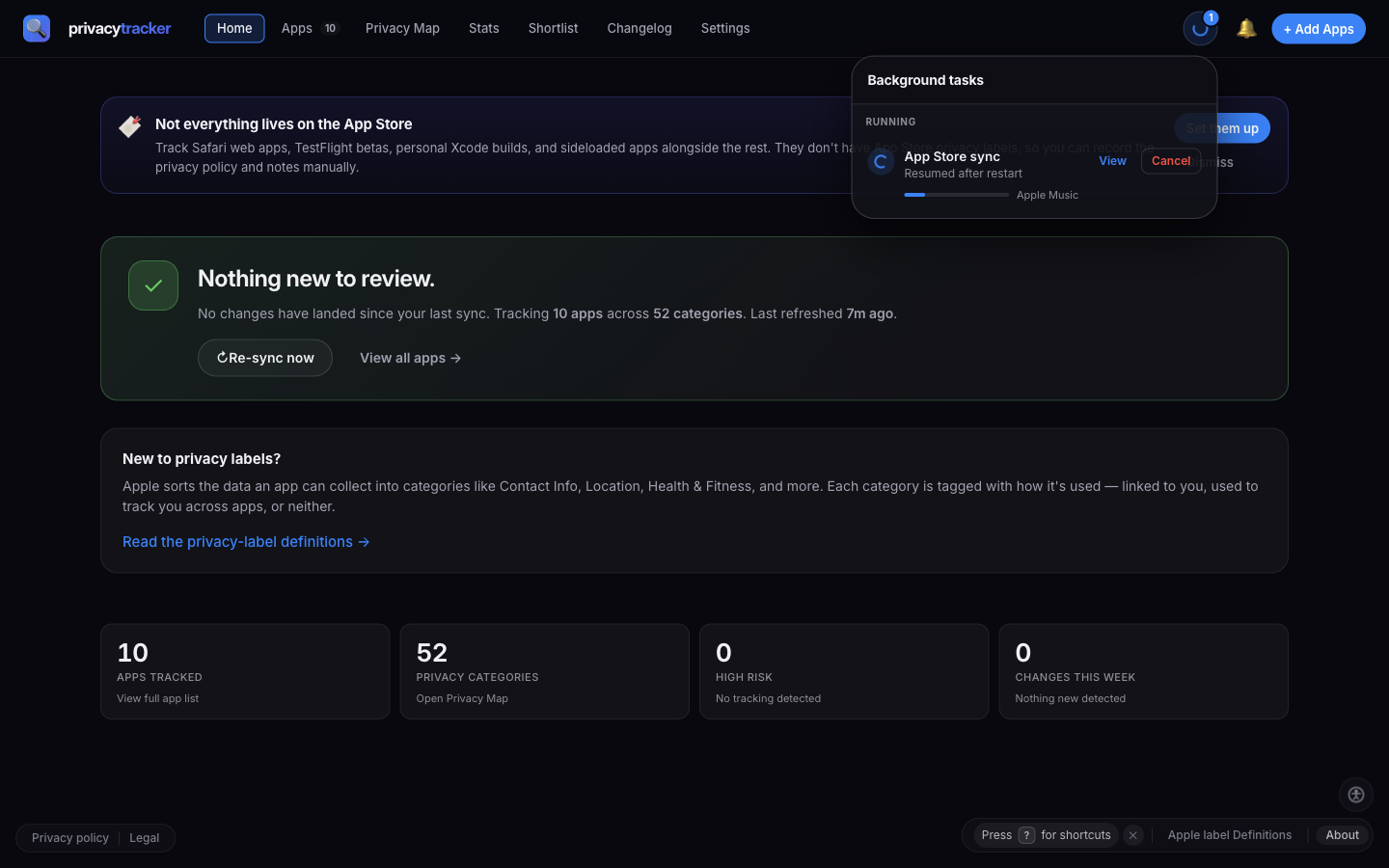
TaskCenter rendering a resumed background sync
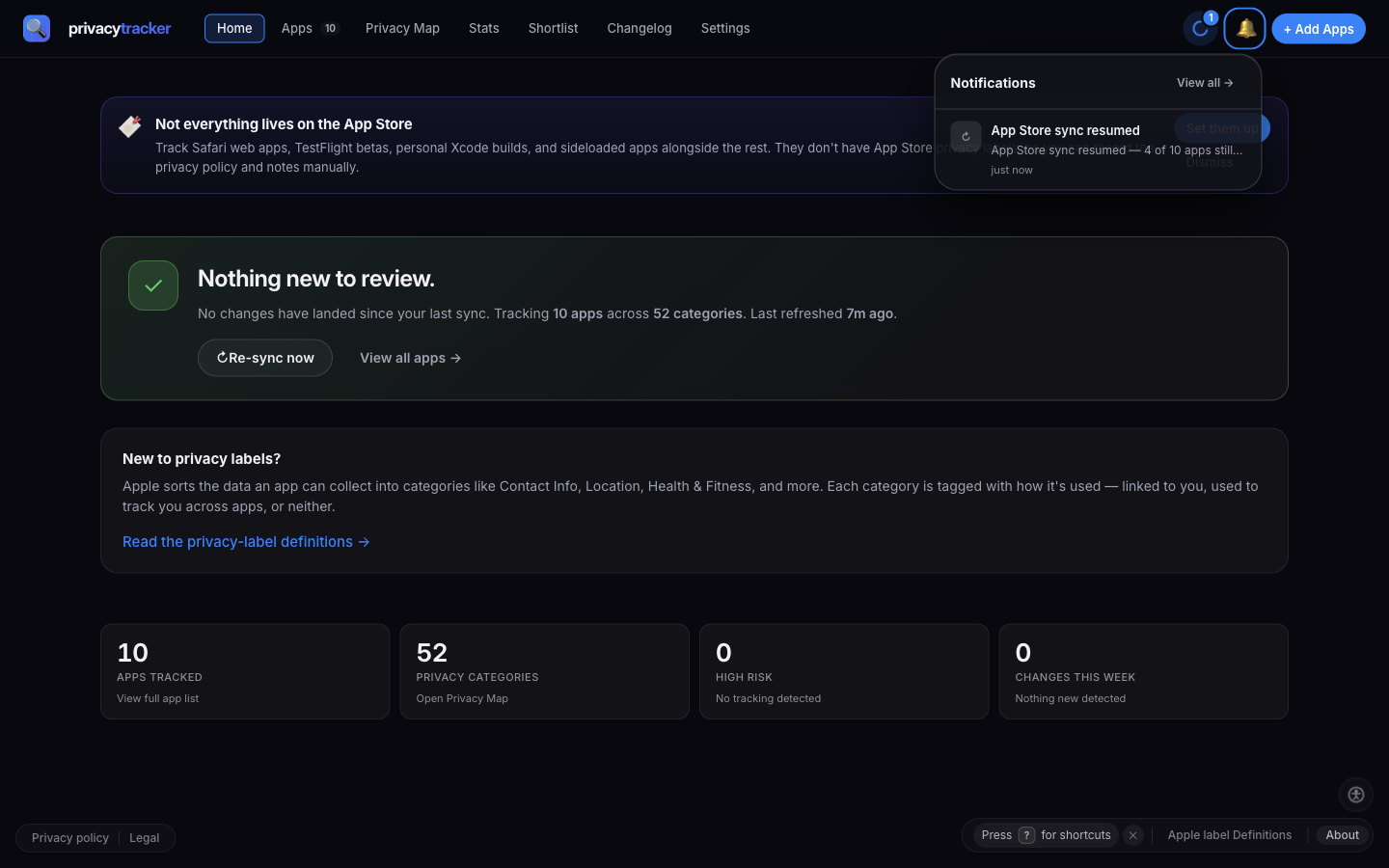
Resume notification shown in the bell
A note on 429s
Apple’s 429 handling is deliberately different from a process kill. The runner bails out of the loop on the first 429, records apartial activity row with rateLimited totals, and clears state + mutex cleanly so the next scheduled tick (30 minutes away) can retry fresh. 429 is a recoverable, expected condition — not a crash.
Database
lib/db.ts exports a singleton better-sqlite3 instance. Pragmas set on open: journal_mode = WAL, busy_timeout = 5000, foreign_keys = ON. Path defaults to <cwd>/data/privacy.db and is overridden by PRIVACYTRACKER_DATA_DIR, which the Tauri shell injects to point at the OS app-data directory — see Configuration. Created on demand, data dir at mode 0700 and the DB itself at 0600. During the Next.js build phase the path is :memory: instead.
Schema is owned by two things in lib/db.ts:
CREATE TABLE IF NOT EXISTSblocks for fresh installs.- An inline
migrationsarray ofALTER TABLEstatements run on every open for existing installs.
db.transaction(() => { … })() (see saveToDb in lib/scraper.ts). better-sqlite3 is declared in top-level serverExternalPackages in next.config.js — keep it there so Next doesn’t try to bundle it.
API surface
Each route underapp/api/*/route.ts is a thin wrapper over lib/. Routes that read mutable state need export const dynamic = 'force-dynamic'. The full route map and the interactive playground are in the API Reference.
Public contract (request/response shapes) is stable — keep it that way. Destructive routes (POST /api/reset, DELETE /api/apps, POST /api/settings) are gated by a same-origin CSRF check and an optional shared-secret header (X-Auditor-Admin-Token) verified with crypto.timingSafeEqual. Failed attempts are recorded in audit_log with IP + user agent.
Privacy-profile presets
A privacy profile is a sparse map from App Store category (LOCATION, HEALTH_AND_FITNESS, …) to the worst data-use tier the user will tolerate (not_collected < not_linked < linked < tracking). An app collecting strictly worse than the user’s tolerance counts as a mismatch. To make profiles approachable, the editor surfaces four named whole-profile shortcuts above the per-category strip, in both onboarding and Settings.
Every preset is complete: it covers all 14 categories from
PROFILE_CATEGORY_KEYS. This guarantees that applying one produces a deterministic profile and that matchPreset(profile) can round-trip the choice back to the active pill. A single per-row edit drops the highlight, signalling “this is now custom”.lib/privacy-profile.ts:
PROFILE_PRESET_KEYS— the canonical render order:strict,balanced,anti_tracking,permissive.PROFILE_PRESETS— the full tier map for each preset.PROFILE_PRESET_META— label, icon, andseverityClsso the active-pill accent walks the green → yellow → orange → red gradient.matchPreset(profile)— returns the matching preset key ornull.
PROFILE_PRESETS.balanced is locked to DEFAULT_PROFILE by reference ({ ...DEFAULT_PROFILE }), and tests/app/profile-presets.test.ts pins the equality.
Overwrite confirmation
PrivacyProfileEditor takes an optional confirmOnPresetApply prop (default true). When the local state is non-empty and doesn’t already match the clicked preset, an inline confirm bubble appears under the pill before overwriting — the only place a preset can wipe user customisations.
PrivacyProfileSetup(the onboarding screen) sets it tohasExistingProfile, so first-time users — whose editor state is just a preloadedDEFAULT_PROFILE— explore presets without nag confirms. Returning users get the safety prompt.SettingsViewkeeps the defaulttrue.
Adding a new preset
- Append the key to
PROFILE_PRESET_KEYS. - Add a complete tier map under
PROFILE_PRESETS. - Add meta under
PROFILE_PRESET_META(pick aseverityClsso the active-pill accent fits the gradient). - Add
labels.<key>anddescriptions.<key>strings undersettings.profile_editor.presetsinlocales/en.json. Crowdin handles the other locales — see Translations. - Extend the asserts in
tests/app/profile-presets.test.tsif the new preset has invariants worth pinning (e.g. “must keepSENSITIVE_INFOatnot_collected”).
Carried into audit bundles
When the recommender exports an audit bundle with their profile included,buildAuditBundle also calls matchPreset(profile) and emits the result as recommender_profile_preset ('strict' | 'balanced' | 'anti_tracking' | 'permissive' | null). The field is optional, so older BUNDLE_VERSION = 2 readers keep working unchanged — no version bump is needed. On the loved-one’s side, AuditBundleImport.tsx reads the field through ImportSummary.recommenderProfilePreset and renders “Recommender used the Strict preset” in both the preview modal and the post-import banner, reusing the existing settings.profile_editor.presets.labels.* strings instead of maintaining a parallel translation set. The preset key is also stashed alongside the raw profile in app_settings.recommender_profile_suggestion so any future “preview + accept the recommender’s profile” UI can pick it up without recomputing.
Recorded in the activity log
PUT /api/privacy-profile records a profile_preset_applied activity row whenever a save crosses a preset boundary — picking a preset, switching presets, or clearing a profile that previously had preferences. Custom-to-custom edits (single-row tweaks inside a non-preset state) intentionally don’t fire; the activity log is for noteworthy state transitions, not the editor’s debounced keystrokes.
The pure helper describePresetTransition(old, new) in lib/privacy-profile.ts is the single source of truth for when to write a row and what to attach. It returns either null (no transition worth logging) or { summary, detail: { from, to, cleared? } }. Decision rules, in order:
- Old had preferences, new is empty →
"Privacy profile cleared"withcleared: true. - New matches a preset, and that preset differs from the old’s match (which may be
null) →"Privacy profile changed to {Label}". - Anything else (re-save of the same preset, custom-to-custom edits, no-op) →
null, no row written.
detail blob carries the typed transition (from: ProfilePresetKey | null, to: ProfilePresetKey | null, cleared?: true) so the feed can render “Strict → Anti-tracking only” without re-running matchPreset.
What commonly trips people up
- The App Store page parser depends on Apple’s HTML. If labels suddenly stop appearing, check the shelf fallback chain in
saveToDbfirst, then the privacy-policy link regex (which must handle both straight'and curly'apostrophes in the “Developer’s Privacy Policy” aria-label). apps.idis the numeric Apple track ID extracted from/id(\d+)in the URL — not a UUID. Snapshots, privacy rows, and notifications all key off it.- When adding new privacy fields, capture
previousSnapshotbefore callingsaveToDb, mirroring the existing flow.